Raspberry Pi FUZE: A Programmable Computer & Electronics Workstation

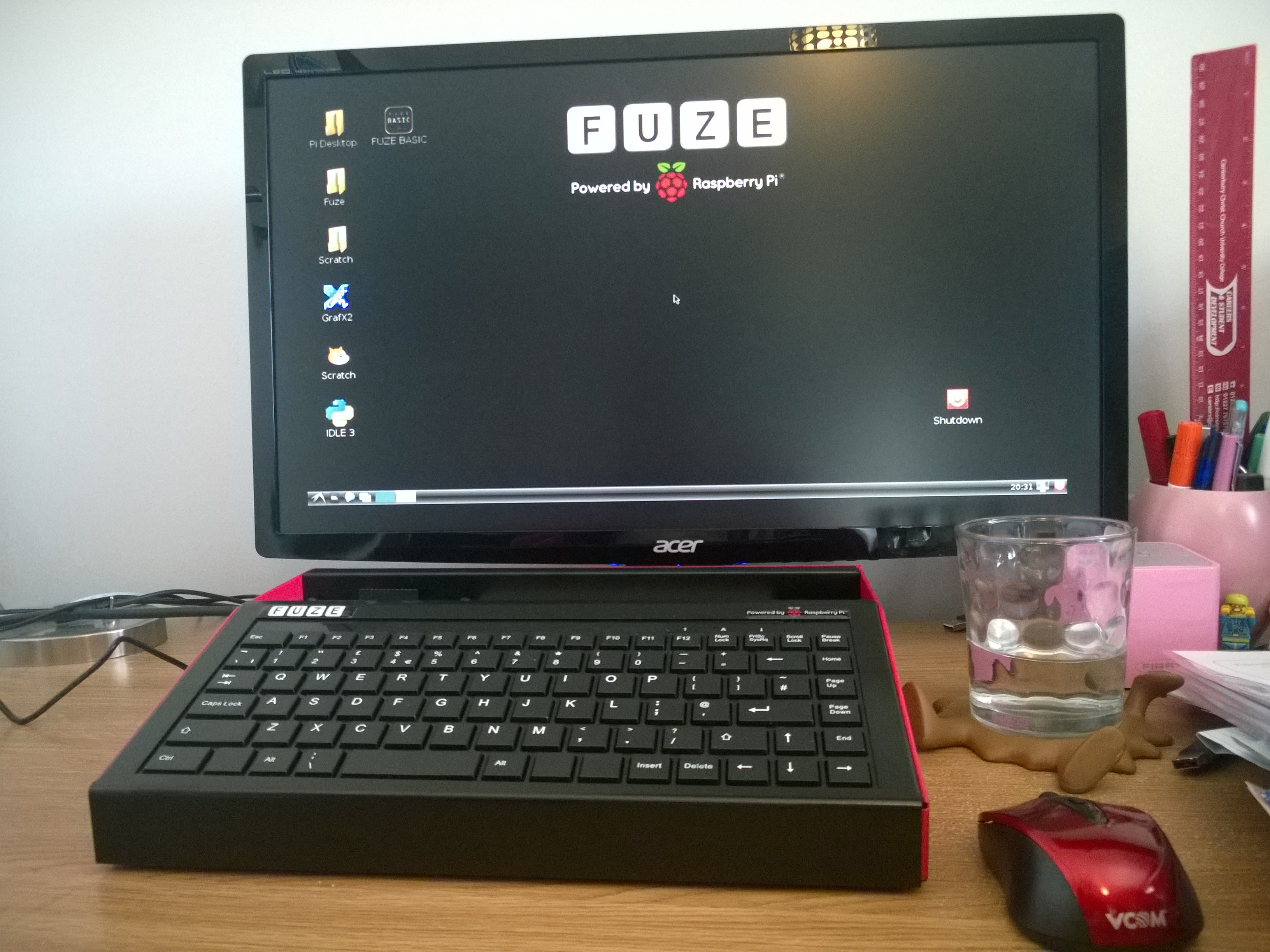
I was first introduced to FUZE at BETT earlier this year. Described as a ‘Programmable Computer & Electronics Workstation’, this quality piece of kit can be purchased with or without the Raspberry Pi. FUZE workstationIt is clearly a well-made and robust product which will stand up well in most classroom settings. The kit contains everything you need to get started, including a wireless mouse, and the case housing the Pi also doubles up as a sturdy metal keyboard, providing easy access to all of the ports and GPIO pins with a dedicated section at the top giving access to the IO board, seated conveniently next to a solder-less breadboard.
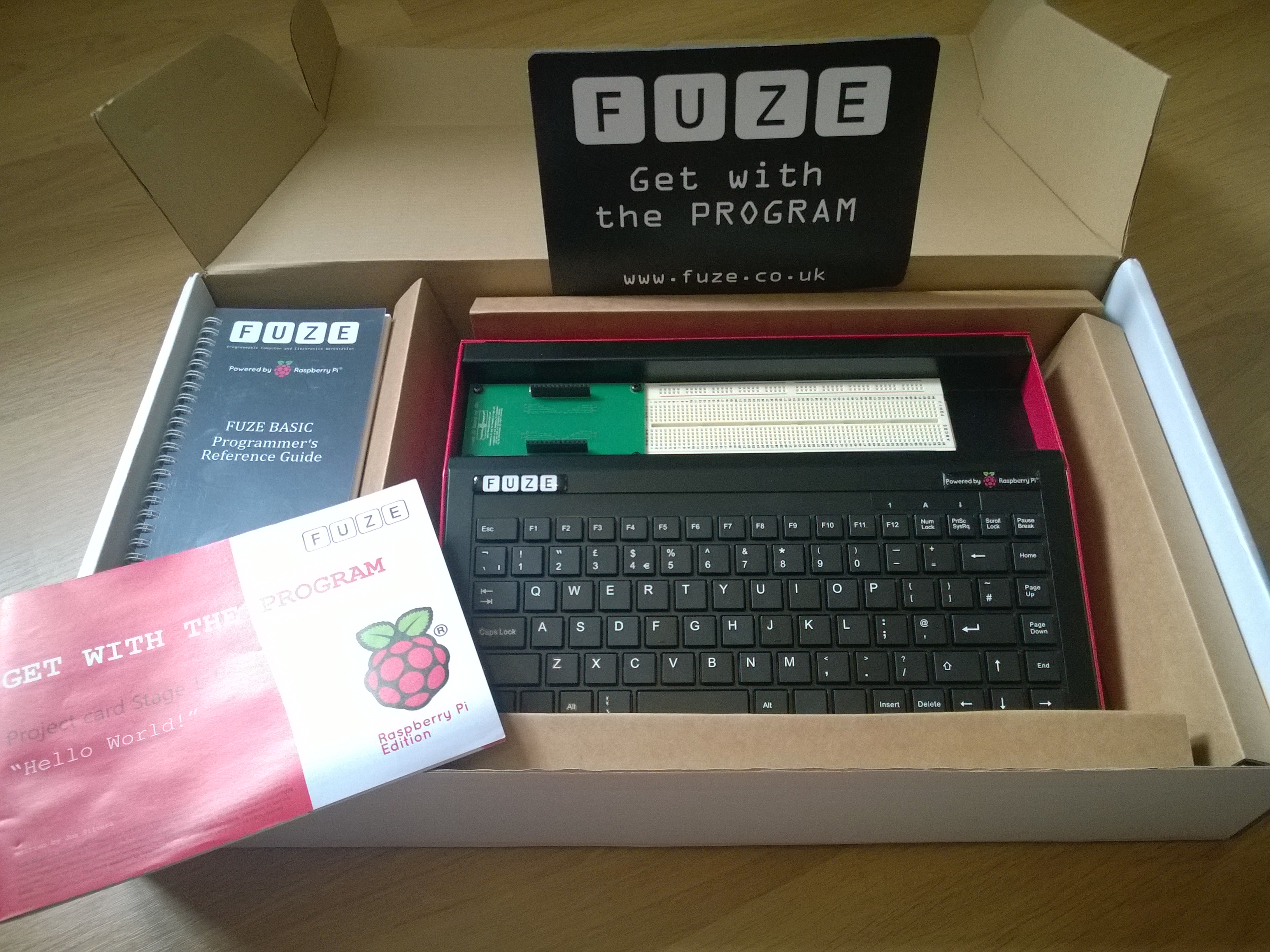
For me the exciting thing about using the Raspberry Pi is being able to combine electronics with programming (otherwise I’m not really doing anything I can’t do on a normal computer) so to have such easy access to the GPIO pins is a real selling point, in my opinion. Also supplied in the box is a handy pin diagram card which sits on the IO board neatly and enables you to identify each of the pins with ease.

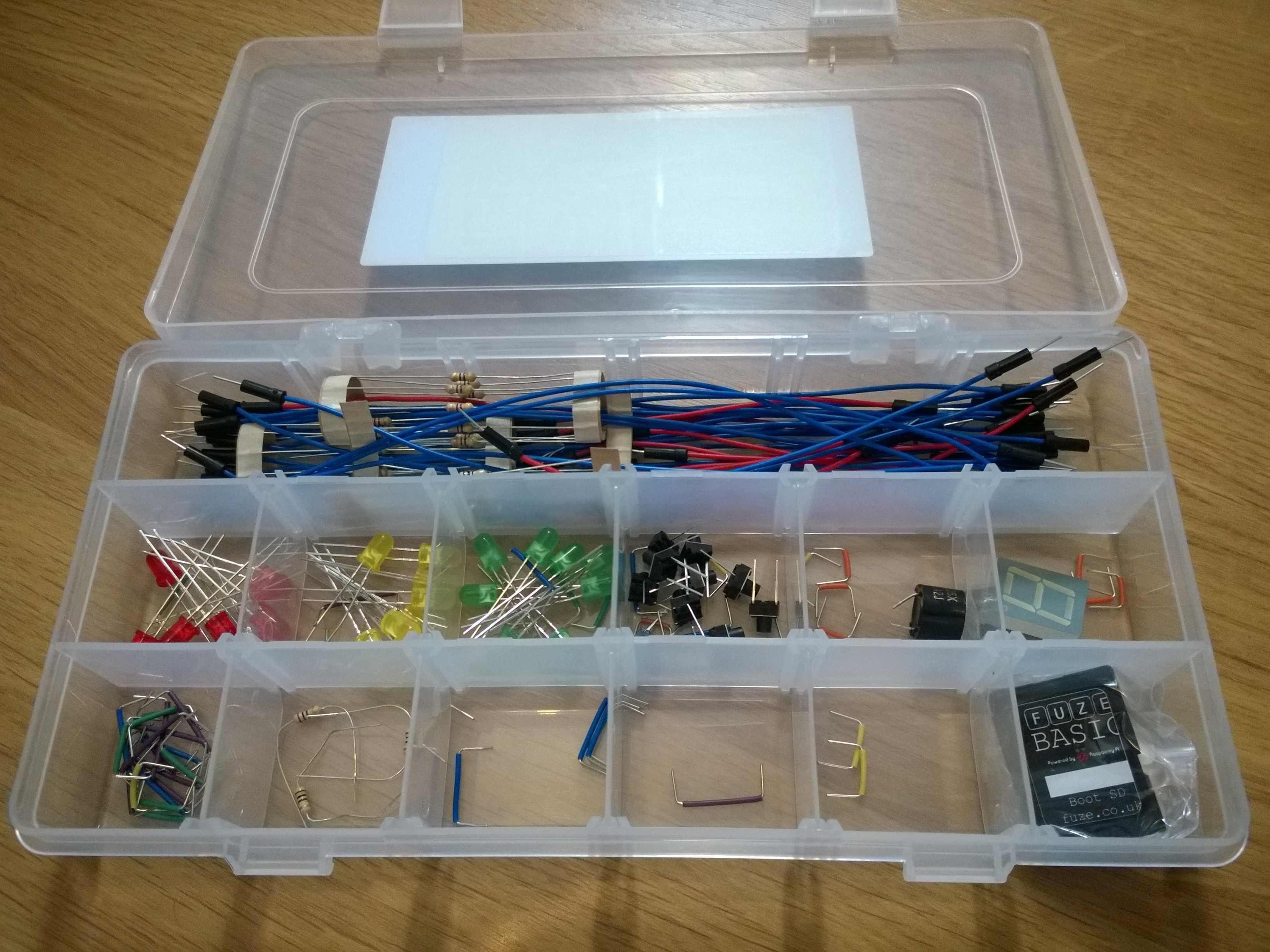
Now FUZE haven’t just provided a means to access the GPIO pins, they have also provided a box full of electronics goodies so you can get started straight away. This consists of:

  • 40 jumper cables
  • 60 small jumper wires
  • 30 resistors
  • 24 LEDs
  • 1 buzzer
  • 10 micro switch buttons
  • 1 seven segment LED

FUZE Electronics Components

The SD card supplied features a modified version of BASIC called ‘FUZE BASIC’. There is a nice workbook called a ‘Project Card’ that comes with the kit, although it is much more than a card; this is a simple and easy-to-follow guide that introduces the language and progresses onto loops, variables, user inputs, and selection and offers some fun FUZE Workstation set upchallenges at the end to extend ones knowledge. The only drawback I found is that there are parts of the book which don’t necessarily promote good programming practice, such as the naming of variables, suggesting these should begin with capital letters rather than introducing camel casing. It’s not a massive flaw and certainly not one to dwell over when there are so many good points worthy of a mention, the tutorials do encourage the use of indentation when using loops which is good and something my students often don’t do!
With the kit you get the first 3 project card booklets and there are more to download from the FUZE website.

I was particularly keen to start on the electronics so I downloaded Project Card Number 4 to make a flashing lights program! This is a nice little guide, starting from the basics of switching on one LED to multiple LEDs and goes on to introduce FOR loops to set up each one. It ends with challenges like making animated light sequences, although I was keen to experiment with one of the buttons so I made my own challenge of simulating a set of traffic lights at a pedestrian crossing:
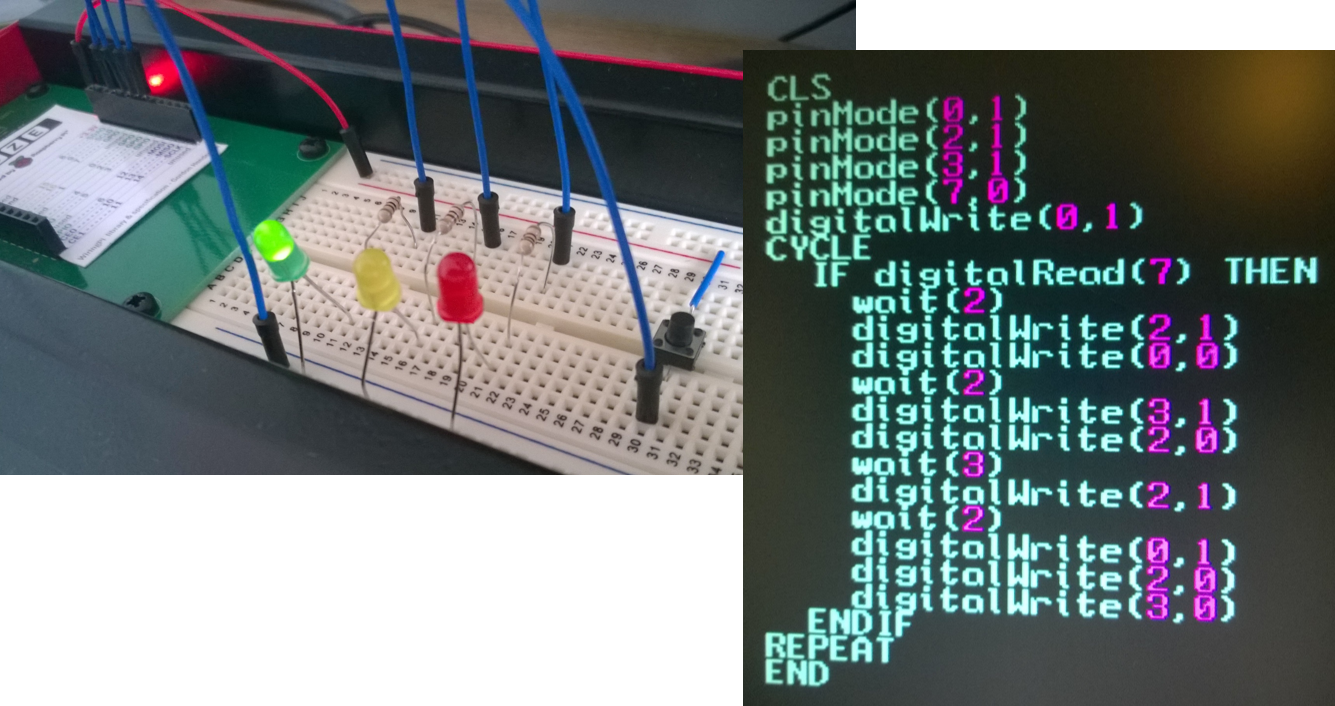
FUZE Traffic Lights

I really like the format of the Project Cards, they are simple to follow and I think they will enable students to be independent when using the Pi. I just wish there were more available to fully utilise the physical aspect of the Raspberry Pi as that’s what sets it apart from traditional computers. The fourth project card left me wanting more and as I have experimented in the past with Raspberry Pi electronics I didn’t find it too difficult to figure out how to connect the button into the circuit, luckily in the box there is also a handy reference guide to the FUZE BASIC programming language so I was able to find out how to read inputs from the button too. In the classroom, however, my students would struggle with this so what I would like to see next is a lot more guides and project ideas being produced for using the electronics components provided; I’m sure there are some in the pipeline.

Overall, what can I say about the FUZE workstation? Well, it’s a high-quality product, well made and robust with a huge range of components to get you started. The product is definitely good value for money. I thoroughly enjoyed my experience with using FUZE BASIC programming environment, which brought back fond memories of my old Commodore 64!   As for the students . . . well, I’m passing the workstation on to my colleague after half term who runs our computing club, where she will no doubt have great fun unleashing this to her enthusiastic group of girls!

If you’re interested in learning more about the FUZE kit take a look at their website where you can see their full range of products, resources and up-to-date pricing.

Planning for the New Curriculum

      No Comments on Planning for the New Curriculum

Nicki Cooper's KS3 ComputingOver the last year or so I’ve been working hard making preparations for the new Computing curriculum coming into action from September this year. In my school we are going to adopt the Computing At School(CAS)  Progression Pathways as a method for assessing and levelling students. For students already in key stage 3 we will be freezing their old ICT levels and starting fresh by assessing them against the Progression Pathways levels for Computing. I have yet to develop an initial Computing assessment but it is something I am going to be working on over the next few months.

So far, below is what the curriculum will look like for Key Stage 3 (some schemes of work are yet to be written and some are being updated with extra parts). I thought I would share this as I know there are a lot of schools needing to plan for the new curriculum so please feel free to use/adapt this model if you find it useful. Once they are complete I’ll be adding all schemes of work to the resources section on here.

Year 7

Topic Overview
7.1 Digital Literacy –
“All About Me”
This will incorporate a baseline assessment and cover some of the more traditional ICT skills. I’m adapting this from my previous Skill Building scheme of work and condensing down significantly to cover the key, essential, points.
7.2 Game Creation in Kodu Game Lab I’ve adapted my original Kodu scheme of work into a new and improved version covering all the main skills needed and more in-depth game design and analysis.
7.3 Web Awareness A Spiderman-themed topic which teaches children the fundamentals of the World Wide Web, including how search engines work, packet switching, Internet safety and security and finishing with web design using HTML and CSS.
7.4 What are Computers? EDIT: NOW COMPLETE Currently a “work-in-progress”, this will be an adapted version of my current PC Basics scheme of work with new additions of how a CPU works and the purpose of operating systems. I’m also planning for students to take apart computers too!
7.5 Introduction to Programming For this topic I am going to completely revamp my Game Control scheme of work, so that rather than focussing on games it will focus on specific programming terminology and algorithms. I still intend to use Scratch for this but will also incorporate examples of the algorithms in text-based languages too and include exercises where they will begin to read and interpret code.

Year 8

Topic Overview
8.1 Grand Designs I’ve been teaching this topic for a few years now. It covers some of the more traditional ICT skills with the addition of 3D modelling using Sketchup. I might add some additional control elements to this using Flowol so children would design their house and then plan for some automated systems to go inside.
8.2 Python Magic This is a scheme of work for teaching children the basics of programming using Python.
8.3 Animation Project This is an existing scheme of work where the students design, create and evaluation an animation for a specific purpose. Although it is essentially complete, the assessment needs adapting to the new framework.
8.4 Ingenious Inventions I’ve yet to begin creating this scheme of work but the plan is for students to come up with inventions that will use a computer control system of some kind, this will focus on using Flowol to design the systems and I might try to incorporate the use of Raspberry Pis here too.
8.5 What are Computers Part II For the final topic in year 8 I’m aiming to build on the basic understanding of computers the students would have gained in year 7. I have yet to plan the content for this fully though.

Year 9

Topic Overview
9.1 Wonders of PhotoShop This is a scheme of work teaching the fundamentals of Photoshop. I intend to extend this somewhat so I can cover binary representation of images to give learners an understanding of how the pictures they create are stored on a computer.
9.2 Web Design This scheme of work will teach learners how to create their own website using HTML, CSS and Javascript.
9.3 Computer Crime Lab This topic will cover the creation and searching of a criminal database as well as giving an understanding of computer crimes and an understanding of cryptography.
9.4 Wedding Planner This is a scheme of work that has been delivered at my school for some time (although I haven’t delivered it myself yet). It’s been a successful way of delivering spreadsheets and ICT skills around design as well. It’s popular as I teach at an all girls school and the techniques learnt can be applied to other scenarios or events too. This will incorporate many of the skills from the Edexcel GCSE in ICT which we currently offer in year 10.
9.5 Entry Level Computing I haven’t fully decided on the final topic of year 9 yet although I am thinking of offering OCR’s Entry Level Computing certificate.

If you have any ideas or suggestions for any of these topics I’d love to hear from you! Just post a comment below. I hope you’ve found this post useful!

Koduthon 2014

      1 Comment on Koduthon 2014

Koduthon 2014Last Thursday represented the second annual Koduthon hosted at Microsoft HQ in Reading. The Koduthon is a basically a hack-a-thon style event where around 100 children were given the opportunity to enter the adult world and develop a solution to a given scenario in Kodu Game Lab. They were given a really interesting task involving developing a virtual fish tank. This proved to be an excellent exercise as it suited a wide range of abilities. They were given the basic concept of fish swimming around the tank along with suggestions of extensions they could make to this, such as:

  • Schooling
  • Feeding
  • Using the toilet and making the tank dirty
  • Features to clean the tank
  • Laying eggs and having babies
  • Enemies

Really, the list is almost endless as given more time the goal could be to create a complete, self sustaining underwater ecosystem. I’m thinking about adding this into my Kodu scheme of work, perhaps as a homework excercise.

Northfleet School for Girls gives Kodu lessonsIn our school minibus myself and a colleague brought a group of fifteen girls to the event who were also given the extra opportunity to train up Microsoft employees in the world of Kodu. They had great fun doing this and I was really proud of their confidence and teaching abilities, demonstrating patience and good manners throughout. They were even giving certificates out to the staff who took part in their training and they carried out interviews afterwards.

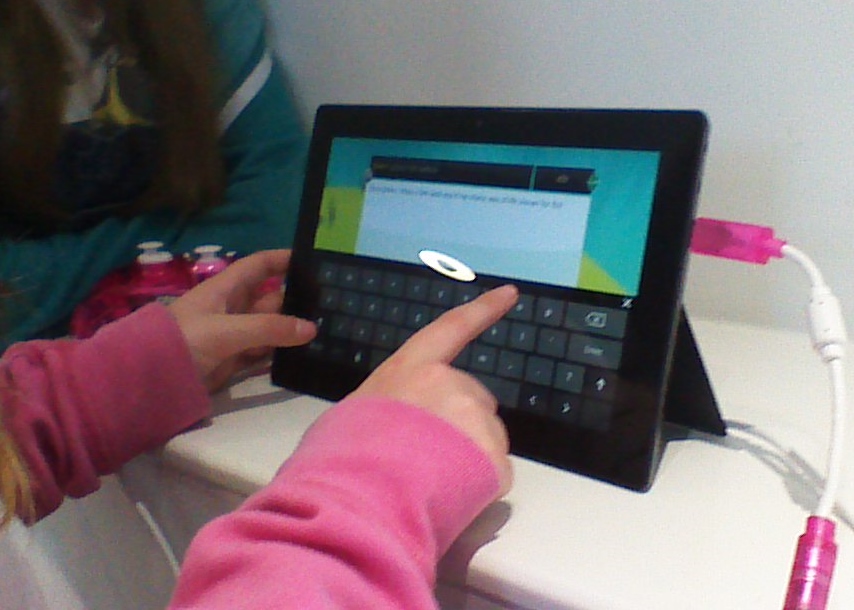
Use of Windows Surface with KoduTo carry out the work on the day the girls brought laptops with them from school along with some Microsoft Surfaces, I have to say I was quite impressed with the tablets. They ran Kodu all day with no hiccups and the batteries were still going by the end! If our school ever goes down the route of one-to-one devices I will definitely be recommending these, also having the USB port proved useful as they were able to utilise both the touch screen and game controllers.

The girls were buzzing in the minibus on the way home (and I’m sure it wasn’t just the supply of pick-and-mix sweets on the way out!). This was an amazing opportunity for them and one, I know, they won’t forget. A big thank you goes to Stuart Ball of Microsoft for putting on this fantastic event.

Time is Nearly Up for Kodu Kup 2014

      No Comments on Time is Nearly Up for Kodu Kup 2014

Kodu Kup

It’s been an exciting year in the world of the Kodu Kup again. Building on the success of last year’s competition and Kodu winning a BETT Award back in January, Kodu Kup 2014 will be drawing to a close in just a few weeks. I have, again, been working alongside Microsoft in the development of resources for the competition and will soon be looking at all of the game entries to shortlist the winners so it’s an exciting (and busy) time of year. This year’s competition featured a change from last year in that we decided to leave out the themes with a more open-ended task of creating a game with an effective storyline and I’m really looking forward to playing the games produced. I’m sure I’ll be seeing a lot of creativity!

If you have been working with children in your school to enter the competition you will know that the deadline for all entries is Friday 30th May so it’s fast approaching. Check out the Microsoft Teachers’ blog if you need a recap on how to upload your students’ games and documentation. Remember, there are four sections to the judging criteria:

  • Game Documentation
  • Game Play Experience
  • Game Complexity
  • Design of the Environment

Before submitting your entries it’s always a good idea to have a quick reminder of the full judging criteria which can be found in the teacher’s pack, this will help to ensure your students haven’t missed any key features that could gain them those vital extra marks!

If you need a reminder of why this is such a fantastic competition, take a look at the Kodu Kup Final video below to see what an amazing day the children had. You can read more about last year’s competition in one of my previous blog posts:

http://youtu.be/XOHhCJddeZY

Good luck to everyone entering the competition! Looking forward to playing the games and meeting some of you soon!


Microsoft Global Forum 2014 – Barcelona

      3 Comments on Microsoft Global Forum 2014 – Barcelona

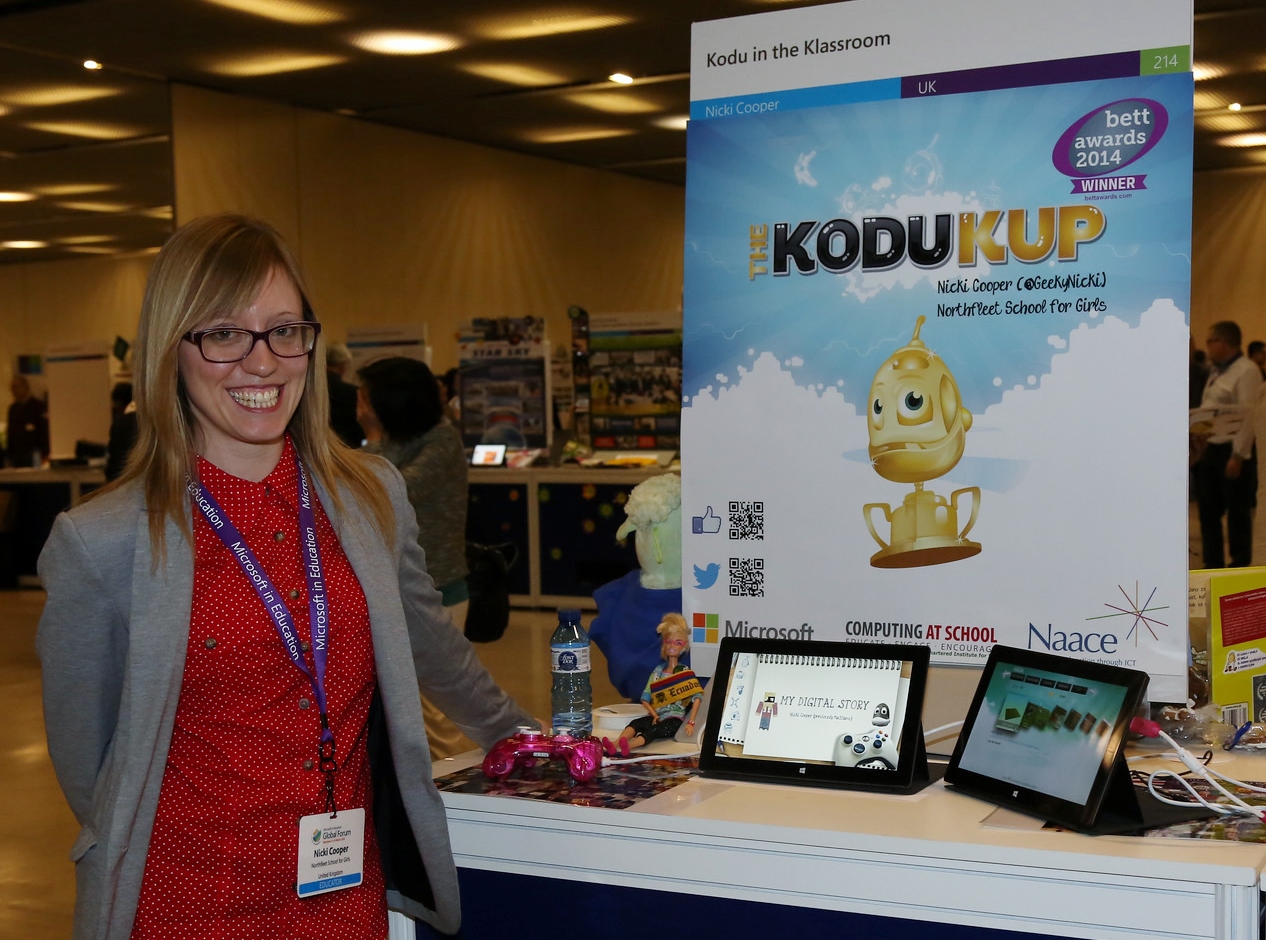
Nicki Cooper at Microsoft's Global Forum in BarcelonaLast week I had the privilege of joining 250 educators from around the world in attending Microsoft in Education’s Global Forum in Barcelona. I arrived on Monday evening and was ready to set up my stand bright and early on Tuesday morning! I received my invitation to the event after winning an award at the previous Global Forum for my Kodu in the Klassroom project. All previous winners became Microsoft Innovative Expert Educators for a year  (along with many others through a selection process) and I was there to showcase the progression of my project over the past year. Throughout the rest of the day we were given a few different talks and took part in a team building exercise with the groups with which we’d be working later in the week.

First Day Highlights

Stuart Ball "App Man"

One highlight of the first day was the talk from “App Man” himself, Stuart Ball, talking about various apps that are available on Windows 8 devices, check out his blog post for the full roundup. Some of my favourites are:

  • OneNote – One of the best applications for educators, in my opinion, both the desktop and mobile versions are great. OneNote allows students and teachers to collaborate on projects and almost any file can be embedded within the pages. It certainly helps to keep me organised and I even use it for my lesson planning!
  • Project Siena An app for creating apps (I’ll talk about this one in more detail further down as I explored this in some detail later in the week).
  • NovaMind Mind Mapping  – Great tool for mindmapping, there is a free version and you can upgrade to get more features.
  • Createbook – App for creating ebooks and it’s free for one more day (until 21st March!).
  • Corinth Classroom B – Look at different parts of the human body in detail.
  • ChronoZoom – An app for creating interactive time lines.
  • Code Writer (I discovered this while browsing) – This is a professional looking app to enable developers (or in my case students) to write code in 24 different programming languages with colour-coded support for each. I had a quick play with using HTML and it works very nicely.

Day Two

The following day was the start of the opening key note speeches which began with Jan Muhlfeit (European Chairman of Microsoft), Jan highlighted, for me the importance of my subject from a careers point of view, the fact that their are 900,000 ICT jobs in Europe that are not fulfilled is something I can certainly stress to the young people I teach. He also made an interesting point when he posed the question: “Is Mercedes a software company or a car company?”, the answer seems obvious but he pointed out that 60% of their budget is actually spent on developing software! I found this amazing and wondered how true this must be for many other businesses that we wouldn’t necessarily categorise as the “IT Industry”!

During the speeches we were also introduced to BizSpark which gives three years of free software, support, and visibility for startups. We also learnt about the Imagine Cup, which is a Global student technology competition with categories of Games, Innovation and World Citizenship and this has some great prizes to offer. Well worth checking out!

Next up was the much anticipated keynote by Anthony Salcito, Vice President of Microsoft Education Worldwide, he told us about Microsoft’s new CEO, Satya Nadella and his passion for education. Anthony delivered a very well thought-out scenario, demonstrating the use of some key technologies and tools and showed how they neatly synchronised between home and school from both a teacher and student’s perspectives. He showed so many interesting new and upcoming applications throughout his demonstration, it was difficult to keep up! Some particular highlights for me were:

  • Lync, if you have Office 365 in school you will already have Lync. I have been using it myselft but wasn’t aware it had so many features. Anthony demonstrated that you can use this to create a collaborative drawing canvas, share the board, create polls and show the whiteboard. I need to go and play with it some more now!
  • Project Spark – the next step up from Kodu, I’ve talked about this in a previous blog post.
  • A Top Secret add in for PowerPoint which enables you to create rich and interactive content within the slide. I’ll share more on this as soon as I am able.
  • Power Map for Excel, this enables you to plot data in a spreadsheet straight onto a map graphically.
  • Class Policy, this is an app to take full control over the Windows 8 devices in your classroom.

He also demonstrated a fantastic use of Skype in school, shown in the video below:

http://youtu.be/GZdMnkWHG7s

Another thing I didn’t know is that on the Partners in Learning site there are curriculum resources posted every day that are themed around the Bing home screen.

On Wednesday the UK team introduced some of our European friends to the concept of a TeachMeet which was put together by Stuart “App Man” Ball and David Rogers. I worked with Ray Chambers to tell people about our experiences with the Hour of Code, while David Renton introduced us to xGames, a game that enables a teacher to make a quiz for their students to answer in groups using Xbox controllers, I hate to gloat but my team won his example quiz in the TeachMeet!

Learn-a-thon

The last couple of days brought us the Learn-a-thon; this was a 24 hour activity in which we were divided into groups with peers from different parts of the world to design a learning activity that displays innovative use of technology in the three Millenium Development Goals of Poverty, Sustainability and Gender Equality. Our group were asssigned Poverty and investigated the use of Project Siena to develop a tourism app to bring visitors to poorer parts of the world. Two of our group members were from South America(Puerto Rico and Ecuador) and they highlighted the fact that tourism is what is needed in their countries to combat poverty.

I have to admit, this was the part of the event that I had not been looking forward to but actually I found it to be a thoroughly enjoyable and worthwhile activity, despite the language barriers. I was very thankful for the Bing Translator app on my Surface which enabled myself and Paula from Finland to communicate with our two Spanish-speaking team-mates when our interpreter was not around. Here’s an overview of the project we came up with:

My role was to focus on using Project Siena, a tool for creating apps, to develop an example app that would be similar to what our students may produce. Once I got started (after watching a few tutorials on Youtube) I found it surprisingly easy to use and developed a semi-professional looking app by the end! Well done to the rest of Team 51 for all the effort you put in, even though we didn’t win the competition I’m really proud of the work we produced!

Team 51 in Barcelona

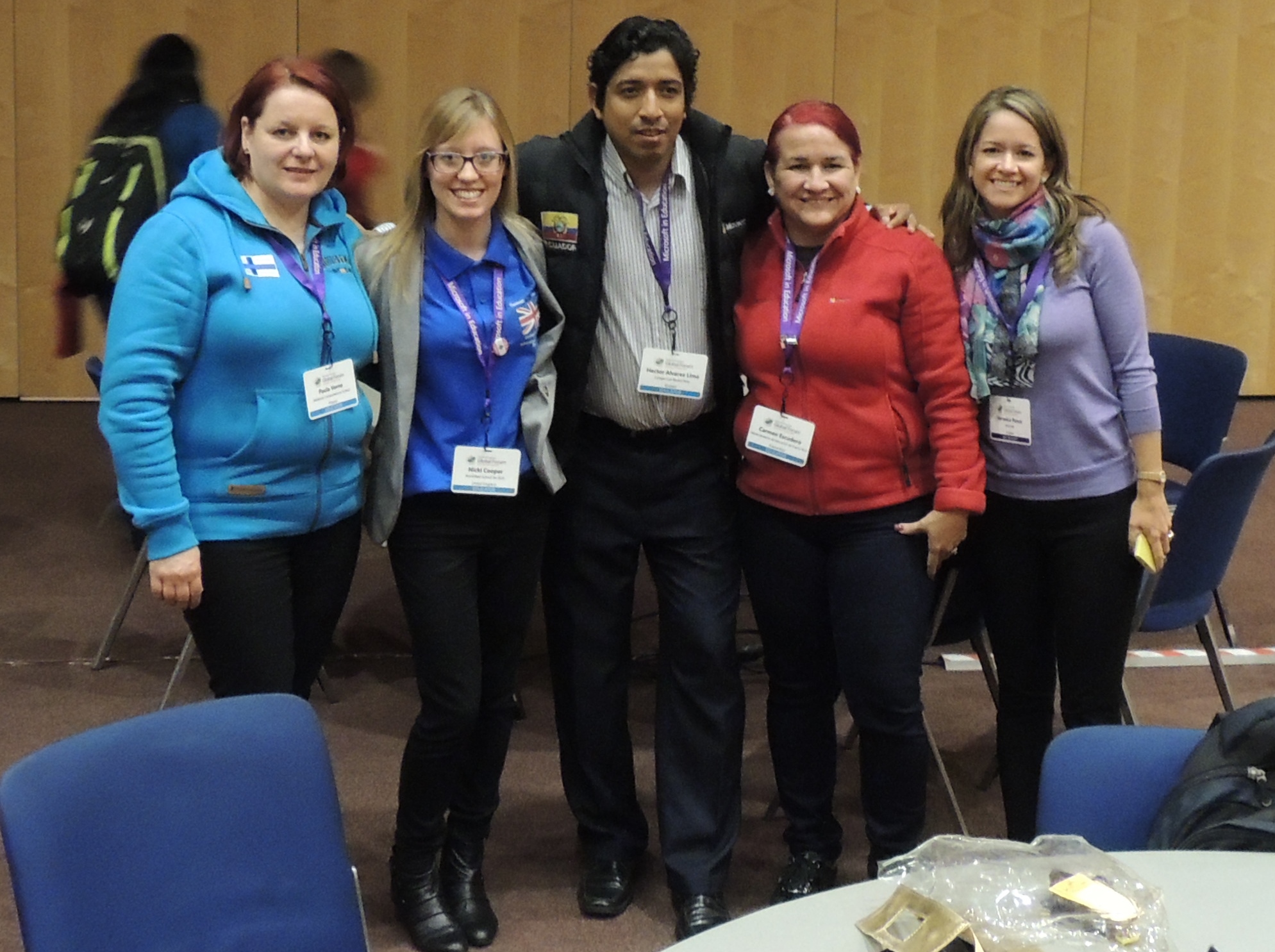
From left to right: Paula Vorne, Nicki Cooper, Hector Alvarez, Carmen Escudero and our Spanish interpreter!

Gala Dinner and Awards Ceremony

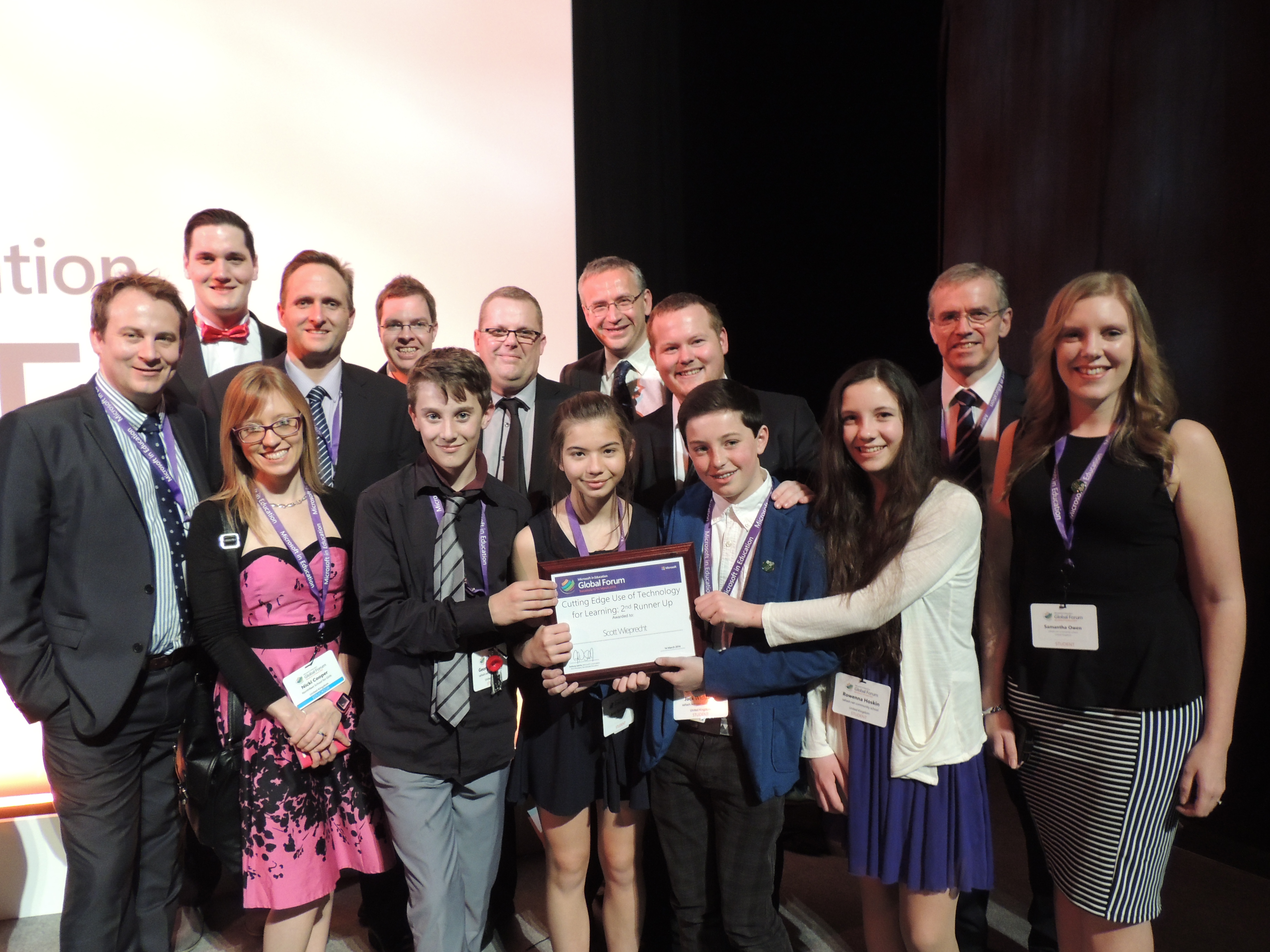
The event ended with the Gala dinner and awards ceremony and I was delighted that the OffPerts, Scott Wieprecht and his team of lovely students won an award in the category for “Cutting Edge Use of Technology”, I was also pleased that fellow team mate in Group 51 above, Paula Vorne, won an award in the same category for her use of Kodu in entrepreneurship. Here’s the whole of the UK educators team celebrating after the dinner:

Team UK in Barcelona

Final Thoughts

So is there anything I would change about the event?

Maybe just one thing. In future events I would like to see more workshop-style activities run by my fellow educators (this is how the UK Forums used to be delivered). There could be different activities which we sign-up for, I know lots of people would have loved to spend time with my colleagues Ray, David and Simon to learn more about how to use TouchDevelop. I would have been happy to deliver a session on Kodu. I would also have loved to hear more about exactly how Zana from Kosovo was running her Technician club or how Todd’s students from the USA were creating their content. We had 250 “expert educators” present and I feel there was a lot more to be learned from one another. That’s my only criticism, as I’m not going to discuss the coffee (or lack of)!

Finally, some key messages and points to take home:

  • A child able to read is 50% more likely to live beyond the age of 5
  • Translation software is REALLY useful!
  • Collaboration, collaboration, collaboration
  • As teachers we need to give more power to students and trust them, to learn they have to be allowed to fail along the way
  • Technology is nothing without great pedagogy

I’d like to close with the following quote from Anthony Salcito, Vice President of Microsoft Worldwide Education:

“Don’t make technology the star, make it a tool to create amazing learning experiences.”