 Wow! What a week!
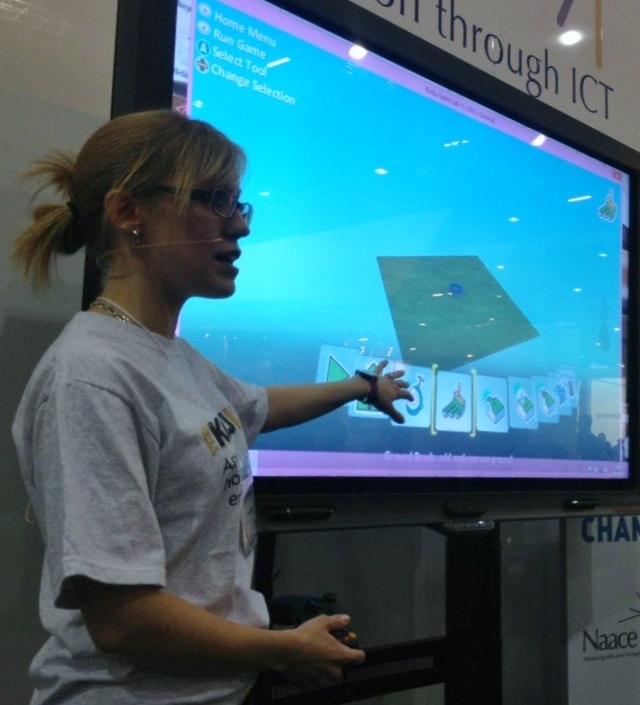
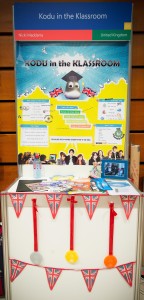
I got back from the Microsoft Partners in Learning Global Forum on Sunday and am still buzzing! I was at the conference to showcase the work I have done using Kodu Game Lab; while I was there I had the privilege of meeting hundreds of educators from across the globe. It was fascinating to hear their stories and find out about challenges faced in other countries, some of which (such as literacy) are not so different to our own.
This blog-post documents my journey through the week and my experiences of each day. There are also lots of bits I have missed out as if I began to describe every experience I had while I was there this would be an extremely long post. Therefore I have just summarised each day!
Pre-Day
After setting up our stands, Wednesday began with a talk by the inspiring Simon Breakspear; a passionate and energising speaker. We discussed various points as a table, made up from educators from the UK, Finland, Sweden and Switzerland. We were encouraged to think of ideas to make learning more meaningful, we took these from our own experiences and came up with the following (in priority order):
- Challenge
- Purposeful
- Perseverence
- Reward
- Multiple skills
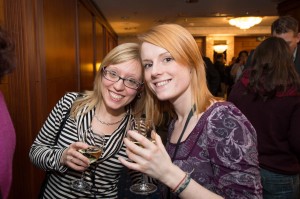 This session was followed by the Welcome Reception where we had the chance to chat and network with other educators in a more informal setting. Being the geek that I am I particularly enjoyed talking to Peli de Halleux about the TouchDevelop platform for programming, along with how it can be used across multiple platforms. I had been following his online learning course so it was nice to meet him in person! It was also great to meet some of the people I had previously met in Lisbon earlier in the year.
Day 1
Day 1 opened with keynote speeches. Anthony Salcito’s was particularly engaging, he was joined at one point by Lauren Ipsen (Corporate Vice President) who announced Microsoft’s US$250 million, five-year renewal of the Partners in Learning program, which is great news. Anthony also talked about his year-long journey, profiling educators from around the world in his blog called “Daily Edventures“, I featured on here myself on 2nd August and today Bill Gates was featured.
He talked about trends changing the way we work, learn and live and how our students are “learning without us”; this is so right, a student just today was telling me how she’d been training herself in a piece of software using YouTube videos, it was only at this moment that I realised what a fantastic world our young people now live in, if they want to learn something new there are always free resources online to do it. I find this so wonderful and exciting!
Anthony then gave a fantastic demonstration of Microsoft Surface which was met with lots of “oohs” and “aahs” by the audience; I can’t wait to try one of these out in my classroom, hopefully I’ll be lucky enough to get hold of one next year! He showed a couple of apps that look interesting, such as Khan Academy, Kno and Dreamwalk. He demonstrated the use of multiple screens and how the Windows search feature goes across multiple resources, including installed apps, programs, email, apps and the Internet. Another point to consider is that being a Windows device they can have multiple accounts so students can be logged-in as a different user to the staff and therefore increasing security on the device. We also were given a showcase of the newest features of Office 2013, as an ICT teacher I was almost drooling at this, particular highlights were being able to search for Creative Commons pictures from within Word, having text-wrapping that works well and Excel automatically (and intelligently) inserting functions for you!
On Day 1 I also met the first two of my judges for the competition. Although this was quite a scary experience, they made me feel at ease as I told the story of my project.
Day 2
Day 2 began with a keynote speech by Chet Linton who talked about creating effective learning environments. He talked about 21st century skills and the fact that we are training our students for jobs that don’t yet exist.
One particularly interesting point he made was that the school in Hawaii with the highest literacy levels does not teach literacy. Instead the young people work on various outdoors projects and have to write-up what they have been doing, this gives them a sense of purpose to their writing.
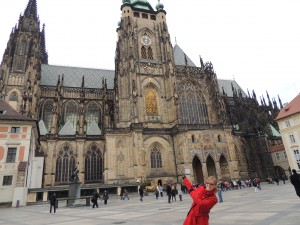 For me this was also my final day of judging but first we took part in a learning excursion to Prague Castle where we were instructed, as a group, to gather resources in order to construct an interactive tour guide of the castle. Our groups’ effort can be found here.
While on my stand Geeky Barbie also had a special visitor. As many of you know Geeky Barbie is my mascot that regularly makes an appearance at conferences I attend. Today
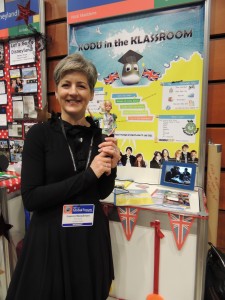 she met Lauren Woodman who is general manager for public sector programs at Microsoft and also Laura Ipsen from yesterday’s key note. From this, sparked a later discussion with the PIL Manager in the UK, Stuart Ball in which I had the idea to make Geeky Barbie an icon for getting more girls interested in a career in IT. Since then she now has her own Facebook page and will soon be setting up a blog that will include interviews with women in IT, detailing their inspirations, qualifications etc. (I’ll post more on this later).
Day 3
On Day 3 I was relieved that the judging process was now over and I was able to meet some of the other educators. Some particular highlights for me were:
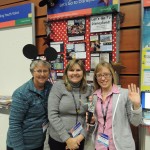 Let’s Go to Disneyland (Cheryl Arnett and Melany Neton from the USA) – These ladies were my neighbours for the week and their project allowed first and second graders to research, plan, and travel virtually to Disneyland on Xbox360 Kinect. Using Skydrive OneNote Web documents, collaborative teams built knowledge and developed critical thinking skills in maths, literacy, and geography, keeping imaginative journals of their experience and creating brochures and post cards for family and friends.
- What’s Up Egypt! (Todd LaVogue also from the USA) – Todd combined things his students like with what he had had to teach them. His students love television and music and he had to teach ancient Egypt. Students, therefore, created a television news show and music video which helped gain a better understanding of life in ancient Egypt. What I found extremely humbling when talking to Todd was the backgrounds of some of his students, a number of which are in gangs and regularly experience violence, some students in his class are actually in opposing gangs outside of school and one of them was shot and killed last year.
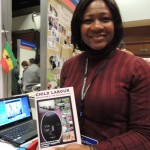 Child Labour; A Child’s Perspective (Sarah Freda Adei from Ghana) – Sarah’s story moved me, she lives in a community where child labour is prevalent. Her students were tasked to learn first hand the impact labour has had on the victims’ well-being. Information gathered revealed that victims desire to quit labour activities. Enrolling some of them in school enabled the students to solve a real life problem.
- Pay it Forward for the Blind (Charli Wiggil from South Africa) – Charli’s pupils created MP3 storybooks and original stories with pupils from around the world. These aids are now used at schools for the blind in South Africa. The great thing about this project is the fact that it was encouraging students to read for a purpose.
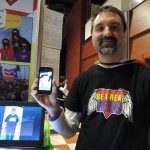 Zero to Heroes (Julio Berríos from Puerto Rico) – Julio helped students develop 21st century skills through the design and implementation of a campaign. It is a continuous project with an incredible multiplier effect in which students use technology and real cases to help create awareness about violence in Puerto Rico and the World. They have set up a mobile phone app which can be used to take a photo and document good deeds that they have witnessed, completely focussing on the positive!
Unfortunately I didn’t manage to get around to everyone which was a shame as I know there were so many inspirational stories in the room.
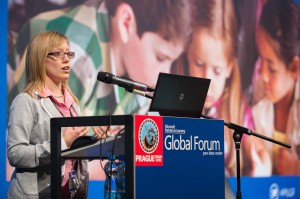 The day ended with a TeachMeet; this is a series of presentations led by teachers with each presentation lasting a maximum of three minutes. I had “volunteered” for this at the beginning of the week but with the excitement of the previous few days I had completely forgotten! I therefore presented the work I have been doing with Kodu. I was particularly impressed by the presentation of Bram Faems who talked about education in his school in Belgium. This is a school for children with special educational needs and one thing that stood out to me was his explanation of how they mark work. Instead of highlighting mistakes in a child’s work they highlight all of the bits they have done right such as correct spellings, punctuation etc. This seems like a great idea and would certainly work with some of the lower ability groups in my school.
Gala Dinner
 Day 3 finished with a Gala Dinner in the Spanish Hall at Prague Castle, this was a beautiful venue embellished with stucco decorations dating back to the 17th century. After a delicious meal, Lauren Woodman began to announce the winners. First up was my friend and other half of “Team GB”, Katie Boothman. Her project was called the H.I.T Squad and documented how her students had been using technology to bring History alive, examples include their use of PhotoSynth to create 3D images of castles, setting up a website of war-time memories (after visiting residents of a residential home) and more recently using MineCraft to recreate castles as they would have been. You can read more about her project here. I was so glad Katie won an
 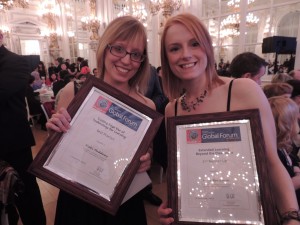 award for “Extended Learning Beyond the Classroom” as her project was fantastic! Congratulations Katie!
My part came when they announced the winner of the “Cutting Edge use of Technology for Learning” award, I was truly shocked to hear my name called out, it was such a huge honour!
There were also many other winners and you can read about each of the winning projects on Microsoft’s Site.
So as a final note; a thank you to Microsoft Partners in Learning for putting on such a wonderful, inspiring and enjoyable event and thank you to all of the other educators who shared their stories and experiences and helped to make the event so wonderful and personal. I have returned to school feeling inspired, rejuvenated and excited about the future of education and how I can make a difference to the young people I teach.
For further reading, check out the following blogs: