
Beginning the Year with Bett

      No Comments on Beginning the Year with Bett

Overview of BettUpon my arrival at Bett this year my first stop was, as always, the Microsoft stand. The staff here had lots of software to demonstrate and assist with. My main focus here was to listen to the talks scheduled throughout the day. The first being “Innovative Curriculum Delivery” by Alan Enfield from New Line Learning Academy in Maidstone who gave a very polished talk on his new school build and the use of learning plaza’s. One part that particularly stood out for me was some web-based software, by LookRed,  which visualises data in Sims and is great for anyone (regardless of ability) to be able extract data in an easy-to-use way.

Here is a video of some of the work LookRed are doing:
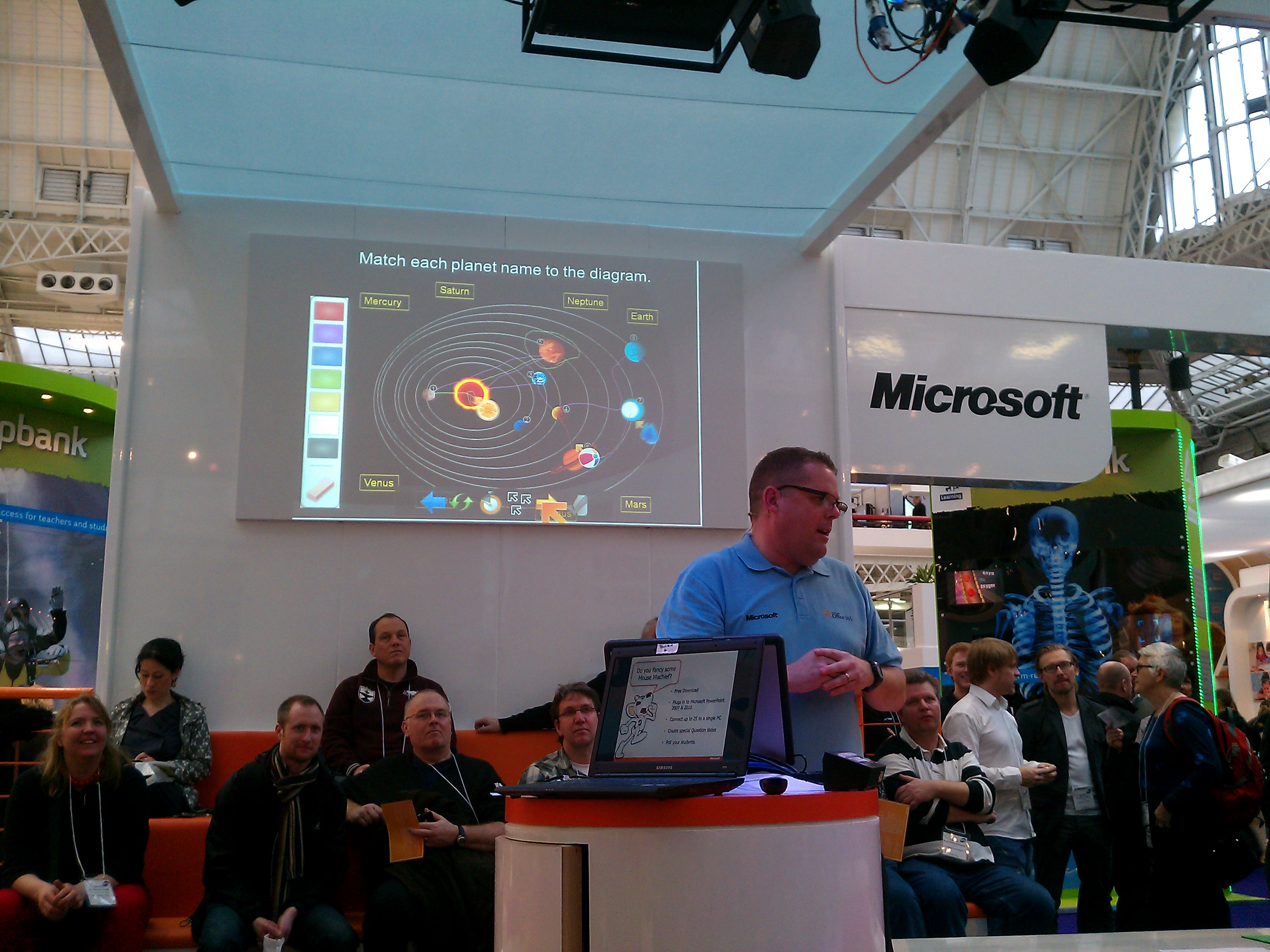
Following this I went to the talk on “Classroom Innovation for Free” by Dan Roberts and Stuart Ball. Here they demonstrated some excellent software that can be used in the classroom:

  • Flash cards – this allows you to make interactive, online flashcards for use in revision.
  • Autocollage – software that automatically creates a collage from a bank of pictures. I talked about this last year too which you’ll find here.
  • Math add in – this is software that allows you to express mathematics equations in Word and OneNote
  • Mouse mischief – Personally I think this looks great! Students can use their own mouse to interact with the teachers PC in order to answer questions on the board. This is an add-in to PowerPoint which allows you to create the interactive element of the interactive quizzes.
  • Community clips and Innovids – Community clips is software that allows you to create screencasts to record what you are doing on your screen. It embeds nicely into Office or can be used to record specific windows. Innovids are tutorial videos created by teachers to demonstrate various aspects of Microsoft software.
  • Teachers blog – Microsoft have a fantastic blog which tells you all about their various software and its’ uses within the classroom.

The final talk I went to was Futures run by Mark Stewart and Ray Fleming. In this they discussed the various tools that could be used in the classroom in the not-so-distant future, these included:

  • Office web apps
  • Office 365
  • Windows phone 7 – the main thing I like about this is that you are able to edit your documents with your phone as it incorporates a full version office!
  • Deepzoom Composer – This demonstration shows how this works better than I could explain!
  • Photo synth
  • Chrono zoom – interactive timeline of the world which you can zoom in and out of!
  • Reading cloud – online reading community for students and educators from one of Microsoft’s partners
  • Montage – Create an online montage/newspaper of a particular topic. Very easy and straight forward to use, I made this one in less than 5 minutes!

As I continued my journey around the various stands some notable software and tools stood out. Firstly is CrazyTalk Animator, this looks fantastic but I don’t think I can begin to do it justice by just talking about it so here is a video:

Another area I am particularly interested in is the SSAT Digital Leaders scheme, this is a programme witch trains groups of students to become “digital leaders”, these students then use their skills to train and assist staff in using ICT and technology more effectively. You can read more about this on the SSAT website.

A few other notable areas I came across were as follows:

  • Games-Ed – simulation games for use in the classroom
  • Young Coder – reasonably priced programming resources for use in the classroom
  • Odd ‘n’ Izzi – kids travel and educational website
  • Day Dream Education – lots of interactive resources for all subjects for the IWB and VLE
  • Bamzonia – simulation where students build up a thriving island by learning about finances and money-management

twitter birdWell that’s about it for my round-up of Bett 2011, my final highlight being meeting the Twitter bird! Please post comments if you have any questions or additional points to share.

Microsoft Innovative Education Forum

      No Comments on Microsoft Innovative Education Forum

IMAG0070-1I’ve just got back from the Microsoft Innovative Education Forum in Manchester, I arrived on Monday evening to find myself checking into a beautiful room with a spectacular view of the city. Later in the evening I attended a very beneficial TeachMeet, some particular highlights of this for me were:

  • Dawn’s Games Based Learning with her primary school class, using DS’s and Wii’s to teach various curriculum subjects, more info can be found here and here. Using games in such a positive way in the classroom is certainly of great interest to me and I can really see this as a way to inspire students.
  • The SSAT Digital Leaders programme – students in school training and supporting staff.
  • Heathfield Primary school’s fantastic Year 6 blog.

The main event took place on Tuesday and from what I hear there was  a great selection of work shops (I didn’t see any of them, though, as I was presenting at my own one!). The workshops running throughout the day were the following:

  • Taking IT Global by Mandeep Atwal
  • Outdoor Learning & Technology by David Rogers
  • From the Cloud to the Classroom by Guy Shearer
  • Creative use of Technology in the Classroom by Dan Roberts
  • Office 2010 in the Classroom by Stuart Ball
  • Creating Games with Kodu by myself!

You can read more about the workshops here.

My Session – Creating Games with Kodu

My session began by looking at what Kodu is and who can use it. I gave a demonstration of how to make a very simple game (despite being simple I still managed to keep losing!). This was basically just a flat world with a tree, a castle and some apples to collect. I then demonstrated how to program a character to collect the apples to score points and finally added an enemy to shoot at the player!

IMAG0074 After this, my delegates sampled an example of a starter activity from my scheme of work which involves matching the correct Kodu instructions together to give various commands. They all did very well!

Following this I introduced my website which contains a complete scheme of work for teaching Kodu, this is available on the link below:

>> http://www.interactiveclassroom.net/Kodu.html

I also shared some other online resources which are very useful when teaching with Kodu:

>> www.planetkodu.com

>> http://community.research.microsoft.com/blogs/kodu

>> http://koduclub.org

Thank you to everyone who attended my workshops, I hope you all enjoyed the session and can take some of the skills back to your classroom. I very much appreciated the positive feedback on Twitter!

Also on Tuesday we were lucky enough to have two fantastic keynote speakers to talk to us, Professor Sugata Mitra famous for his ‘Hole in the wall’ project and Michael Furdyk Co-founder of the young person’s online community, Taking IT Global. Both were excellent and very inspiring. I would certainly like to experiment with some of Sugata’s work where children teach themselves, I strongly believe this will help them become more independent thinkers.

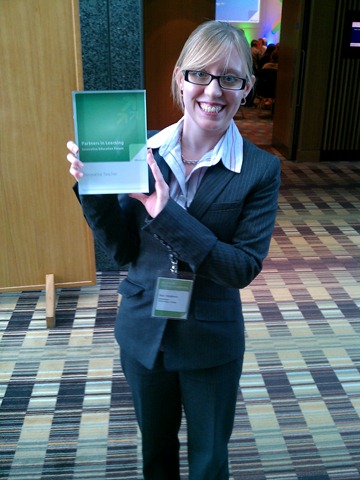
IMAG0075 One of my highlights of the event was winning a Microsoft Innovative Teacher award, I didn’t know I would be getting this so was very excited! Just have to make sure I live up to the title now!

To read more about the event visit the Microsoft Blog or check out #ukief10 on Twitter.

Thanks for reading!

Microsoft Summer Camp

      2 Comments on Microsoft Summer Camp

Over the last two days I was lucky enough to be able to attend Microsoft’s Summer Camp held at their Reading campus. During our time there myself and the other “happy campers” spent a large amount of time sharing and discussing ideas with each other and learning about lots of fantastic free tools from Micrsoft. We spent the second day creating demo videos on how to use various Microsoft tools in the classroom. Existing videos (Innovids) can be found on the Innovative Teachers YouTube Channel and the ones we create will be added to these throughout the next few months.

Some notable pieces of software that were mentioned during camp are as follows. Many would certainly be excellent across a variety of different subjects:

  • Ribbon Hero – Add-on for Office that allows you to learn more about the office applications and test your knowledge, you can even link it to Facebook to compete against others!
  • Flash Cards – Web-based tool that allows you to create online flash cards which you can then share with students.
  • Zoom It – Fantastic little application that allows you to zoom into any part of your screen by assigning hot keys.
  • Bing Maps – Allows you to use various overlays/add-ons to enhance your experience of Bing Maps, some notable mentions include newspaper front pages from around the world and medical statistics in America, plus many, many more.
  • Photosynth – Online application in which you can stitch photographs together and share them online.
  • Deep Zoom Composer – Create pictures with hidden pictures inside which you can then zoom into. The best way to demonstrate this is to point you towards the Hard Rock Cafe website.
  • Office Web Apps – Online versions of Micrsoft Office applications.
  • True Space 3D – 3d Modelling software
  • . . . and of course one of my favourites, Kodu! I won’t go into too much detail about this here as you will find lots of information on past posts. Although I would like to just let you know that online booking is now open for my Kodu in the Klassroom seminar in December.

This is by no means and exhaustive list as lots of other tools were also discussed. For more information check out the following blogs:

Kodu in the Klassroom!

      No Comments on Kodu in the Klassroom!

Since my last post I have spent a lot of time playing with Kodu, with new versions of the Beta being release regularly by Microsoft, the most recent being 1.0.48.0. With each new version  the stability and usability increases significantly. The current version works really well on the PC with a keyboard and mouse although having now invested in an X-Box Flyercontroller this would have to be my preference. I picked up a wired PC one for just £14.99 from Play.com. This really increases the playing experience and I know the students will love this method (especially as they’ll be tricked into learning!!) I’m hoping to purchase around 15 next term so I will at least have enough for the students to share. I just need to put together a scheme of work and I’ll be ready to let Kodu loose in my classroom!

In addition to this, as part of my work as Lead Practitioner next year I am hoping to run a hands-on seminar, probably in Maidstone, on the use of Kodu (click on the picture to download a flyer!).  I’ll keep you posted on the seminar developments!

A Snapshot Tour of Kodu

      1 Comment on A Snapshot Tour of Kodu

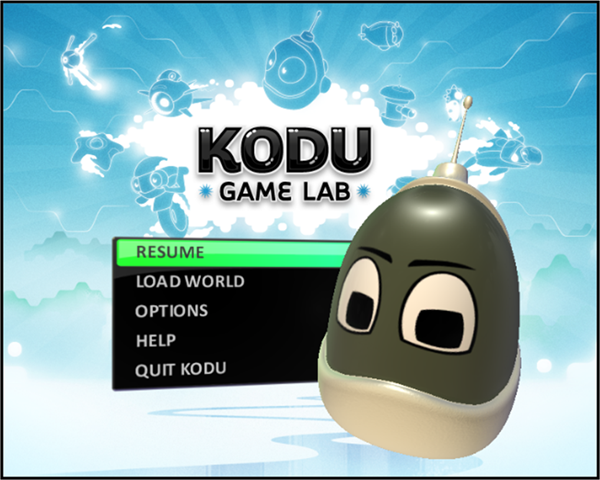
kodu1I have recently been trying out some new games development software by Microsoft, called Kodu. Released on Xbox last year it is now available on PC as a technical preview from here.

The software is great as it allows users to create 3D computer games in a very simple and intuitive way.


To give you inspiration Kodu comes with a large selection of built-in worlds or you can create a new one from scratch.

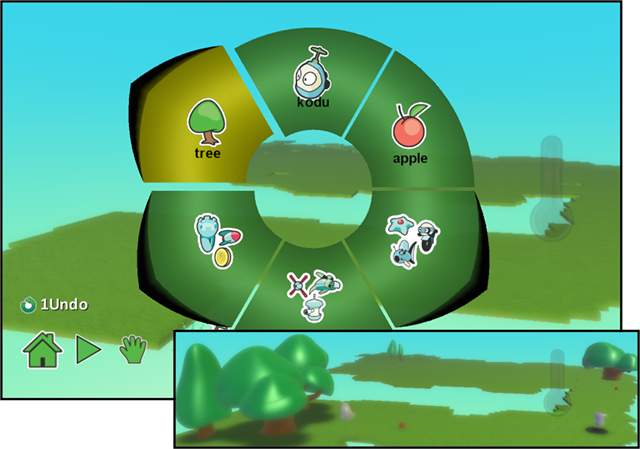
kodu3From the menu at the bottom there is a  terrain tool to create a world, you can choose from lots of different textures or patterns and also raise or lower the terrain.

Once you have created the terrain you can choose from a vast array of objects to add to your world.

After you have added objects and characters to you can program them using the simple graphical interface. This works by assigning actions to events (WHEN x happens DO y). There is a great deal of flexibility here giving you a lot of scope to make the game exactly how you want it.

The example below show a program for the enemy character in a game. WHEN it see’s Kodu (the main character) it shoots at him. The + symbols can be used to refine the event or action:

kodu4

Well that was just a short overview of Kodu but I simply can’t do it enough justice by writing about it here. I would definitely recommend downloading and trying it out. I can see Kodu having a real impact in the classroom and am really looking forward to the final version being released. If you are interested in the use of Kodu you may find some of these resources useful too: